The Reactive Room
The Reactive Room(Demo) - This is a short demo of the Technology I will be using for my final capstone project in the spring. The room will try to get the participants to do certain things without explicitly saying it. This project focuses on how the room can move you with sounds and visuals.
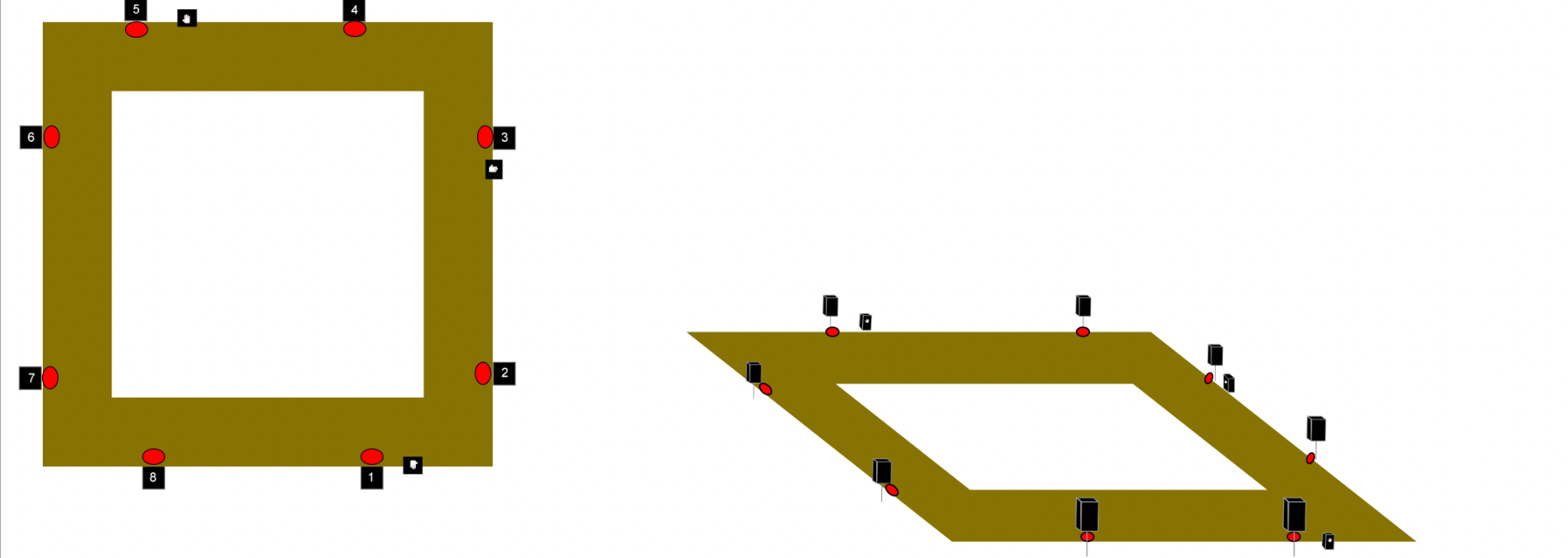
I am using an 8.1 sound system with DMX lights underneath each speaker
In this demo, I am using a step reactive floor to amplify the participants' steps while also being able to track their position, using DMX lights to use visuals to move guests through the room, and I built pedestals for participants to place their hands on to cause a visual and auditory reaction.
This demo has 3 distinct phase
Reactive Room Demo Diagram
Phase 1
Phase 2
Phase 3
Step Reactive Floor Test
Phase 1.1
A step reactive floor amplifies participants’ steps, creating an impulse for each step. Each speaker has its own unique sound when you step near it.
Phase 1.2
After a certain amount of time, two new sounds appear. The first is live audio input. The room will ask participants to clap or whistle and have the room amplify and warp their sounds. The second sound is triggered by converting footsteps into MIDI notes. All pitches are chosen based on the most common notes picked up by a microphone in the room. These sounds are specialized according to where the most movement in the room is.
Phase 2.1
Two channels of audio and lights begin to rotate around the room. The room asks participants to try and “Catch” the sounds as they pass by. When participants “Catch“ the sound, it will warp as it passes.
Phase 2.2 - 2.4
Two more channels of light and audio will be added for each new variation of phase two.
Phase 3
Participants are told to place their hands on any of the three pedestals. When they do, sounds and colors will start to spread from them. If any of the sounds or colors touch as they spread, then they will mix audibly and visually.
Future of the project
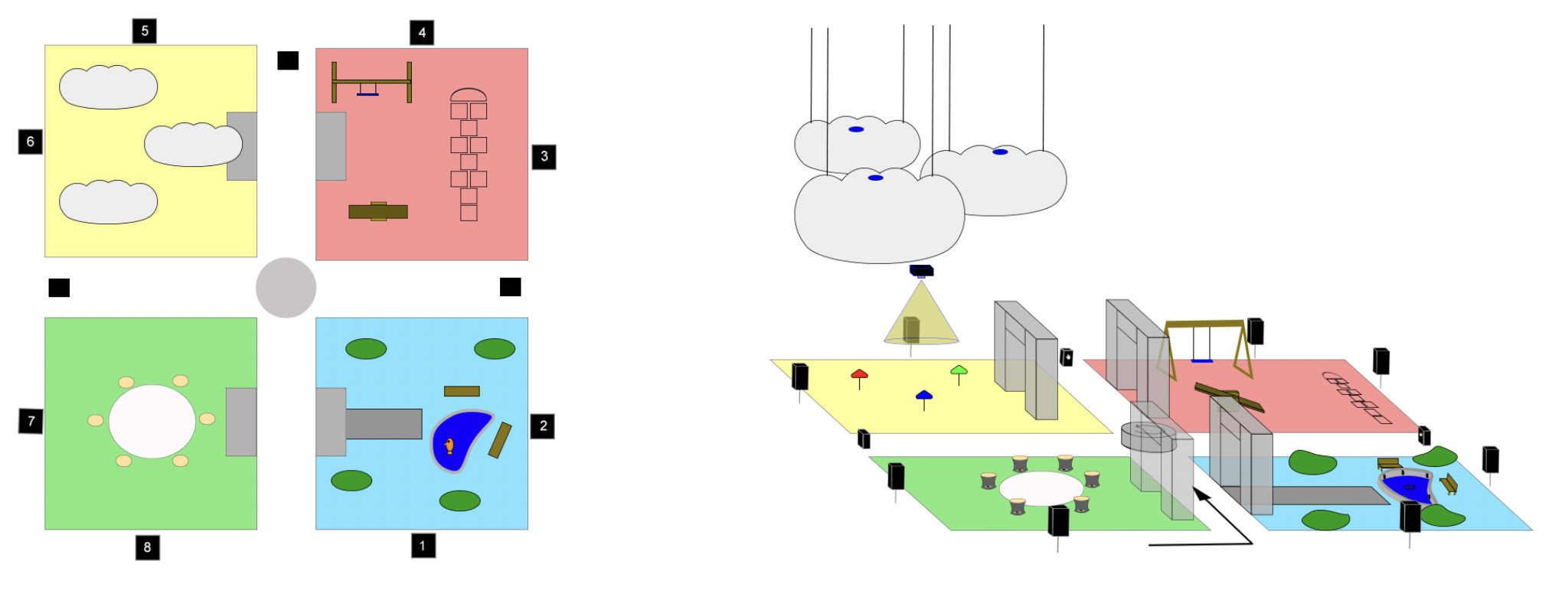
A room split into four sections, each displaying a different type of interaction. Blue Section - Interacting with objects below your line of sight. Yellow Section - Interacting with objects above your line of sight. Red Section - Focusing on your interaction. Green Section - Focusing on your interaction with others.